Using the Canvas
Download Workshop Material
Usage options
An intervention can be done with different intents. Each of these intents represents an option for shaping interventions into an organization.
Combined with using VSM with a focus on different parts of the organization, we can easily control the "blast radius" (Lean Change) and design interventions as safe experiments or large transformations.
1. Diagnosing the Organization
This is the process of carefully examining an organization to identify challenges and problem areas. It's akin to a doctor making a diagnosis before prescribing a treatment. In organizations, this often involves analyzing workflows, corporate culture, and employee engagement to pinpoint opportunities for improvement.
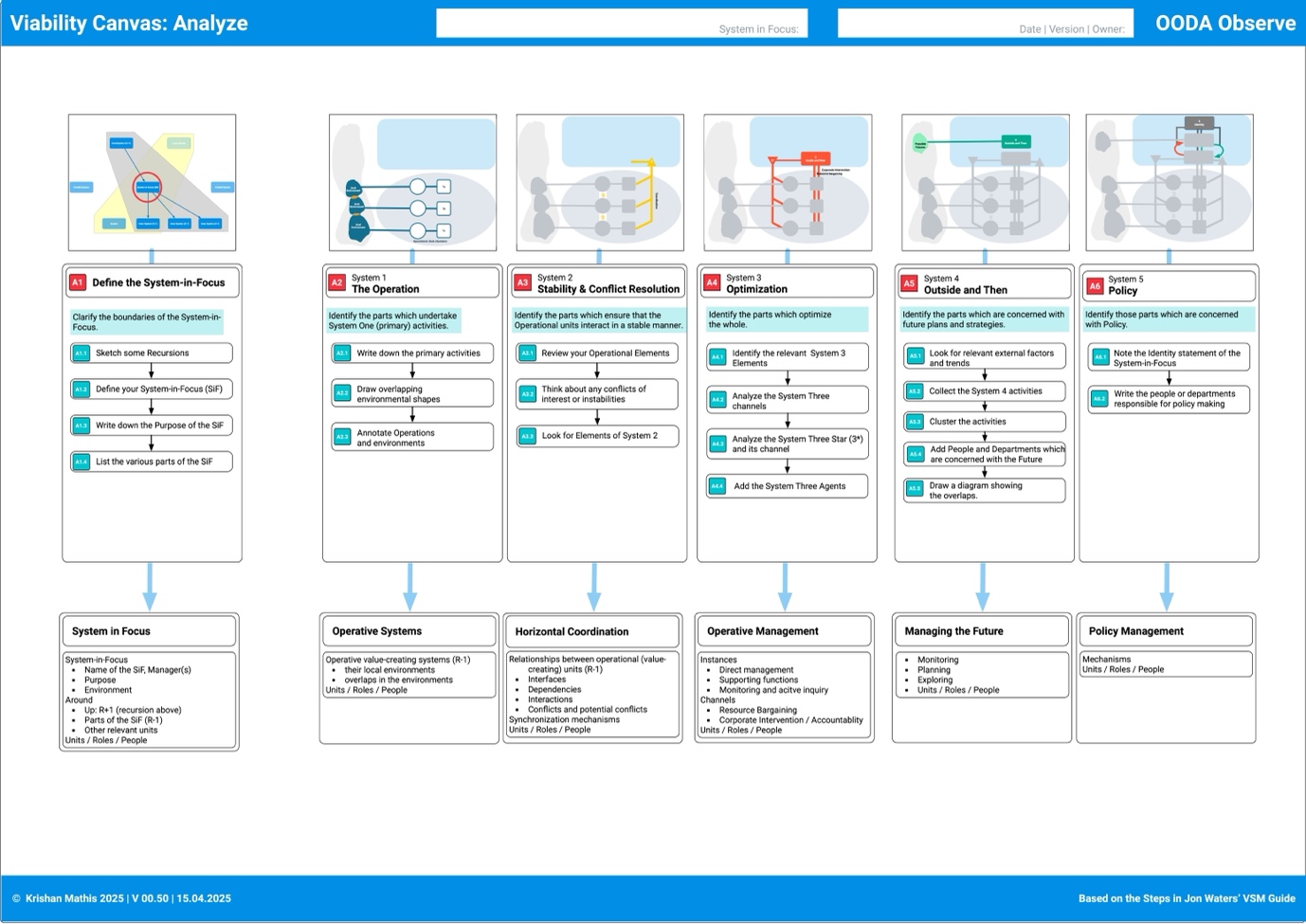
This would mean using the Observe part: analyzing the organization and going through steps A1 to A7.
2. Debugging the Organization
This involves locating and fixing specific faults or issues within organizational structures and processes. Borrowed from the world of computing, which refers to identifying and correcting errors in code in an organizational context, it means detecting and rectifying inefficiencies or dysfunctions to enable smoother operations.
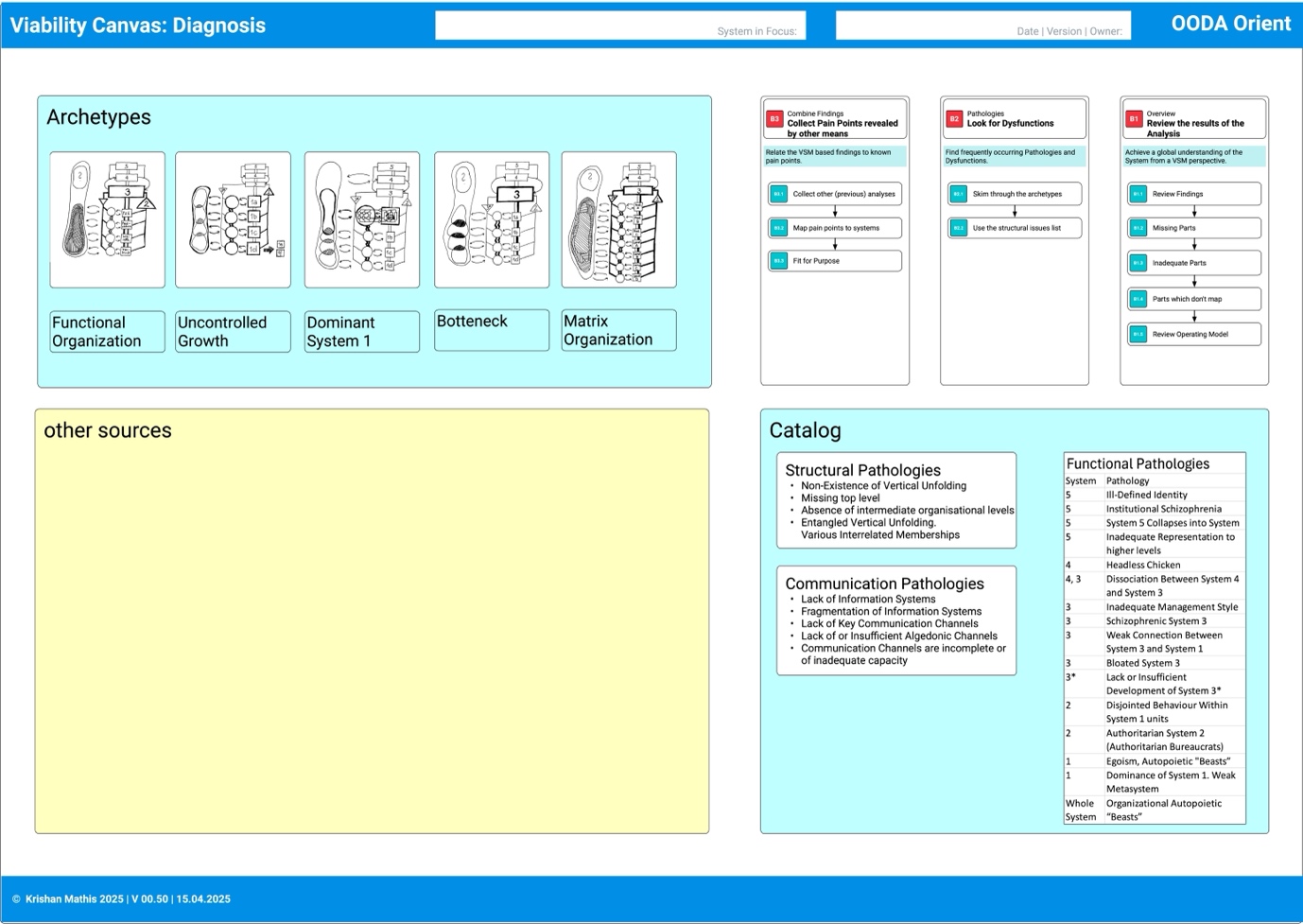
This would mean using the Observe and the Orient part of the Canvas: while Observe implies a somewhat detached view of the organization, in Orient, you switch to a more opinionated view, where you think about improvements and deficiencies.
In this case, you add the Orient, the steps "B" for making sense of the learnings and gaining a consistent view.
3. Designing the Organization
Regarding organizational development, design refers to the deliberate shaping of organizational structures, processes, and systems. It's about creating the organization in a way that allows it to effectively achieve its goals, not just solving problems but architecting an entity that is poised for the future. This mode involves creative thinking and the application of design principles to make an organization future-proof.
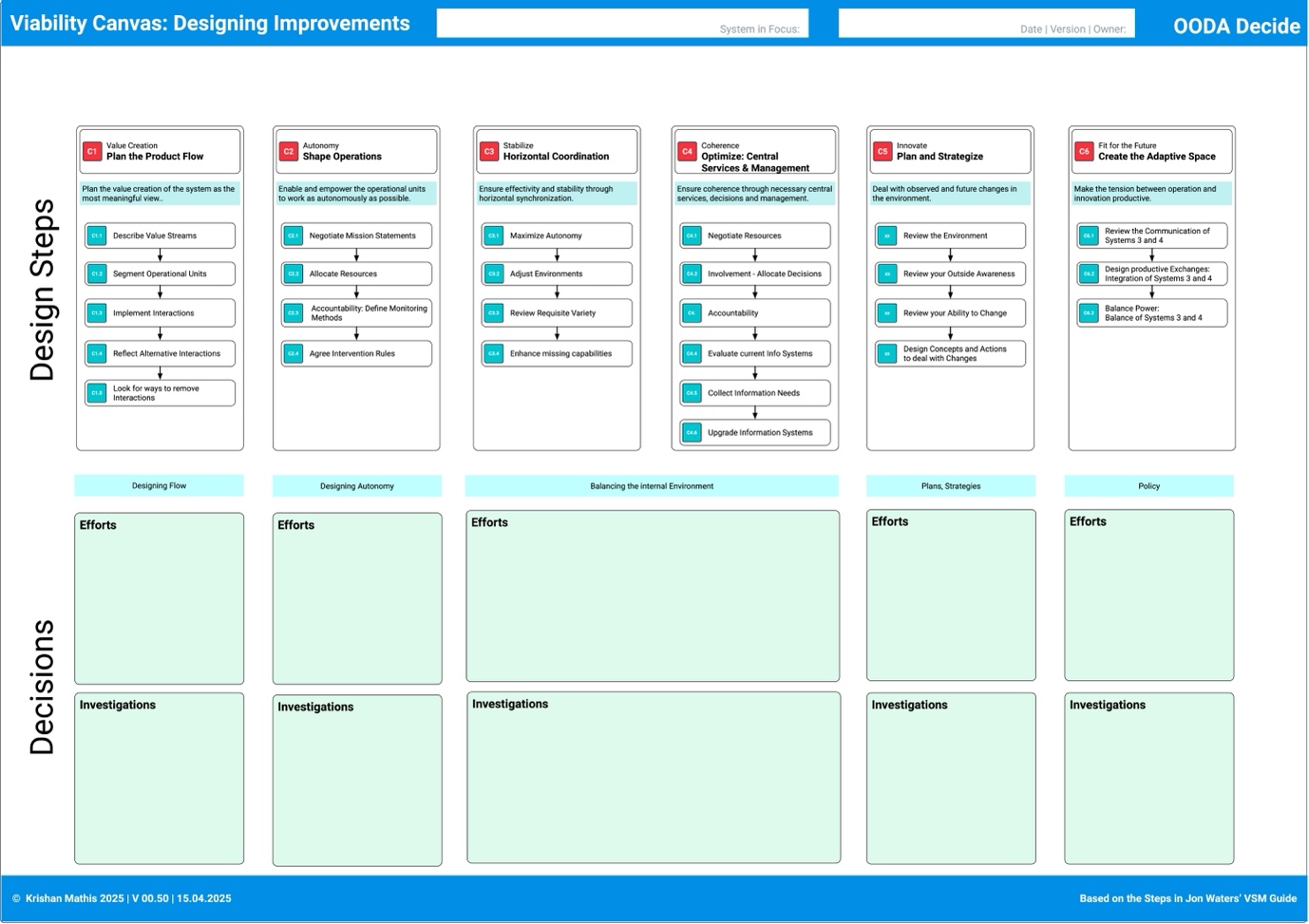
The Decide part of OODA is represented in the design decision steps "C".
4. Developing the Organization
Development focuses on the growth and continuous improvement of the organization. This includes promoting learning processes, adapting to changing circumstances, and investing in employee skill sets. Develop is a forward-looking approach that aims to advance the organization through training, innovation, and strategic planning.
In the Act chapter, we give a short outline of three different approaches to Change.
Canvas Workshop
One usage option is a workshop of, let's say, 6 hours.
Workshop Preparation
What you need for a Workshop
Material 1x
- Poster: Canvas
- Poster: Analysis
- Poster: Design Improvements
Per participant
- Canvas Cheat Sheet
- Playbook or excerpt
- Canvas Steps
- Agenda
- Purpose & goals of the workshop
- Introduction to VSM and the OODA loop
- Observe: initial analysis
- Orient: make sense of the data
- Decide: design improvements
- Act: plan interventions and experiments
Other Material
- Stickies in at least three colors, e.g., yellow, red, and green, for marking insights and action points in the different phases.
Observe View
- Use the Canvas and the Analysis worksheet
- Go through the steps and put yellow stickies into the right places.
Orient View
- Use the Canvas and the Diagnosis worksheet
- Go through the steps and put green stickies into the right places.
Decide View
- Use the Canvas and the Design worksheet
- Go through the Design steps and
- put red stickies into the right boxes in the Canvas
- Put white stickies into the findings areas in the Design worksheet
- Put yellow stickies into the Investigation areas in the Design worksheet.
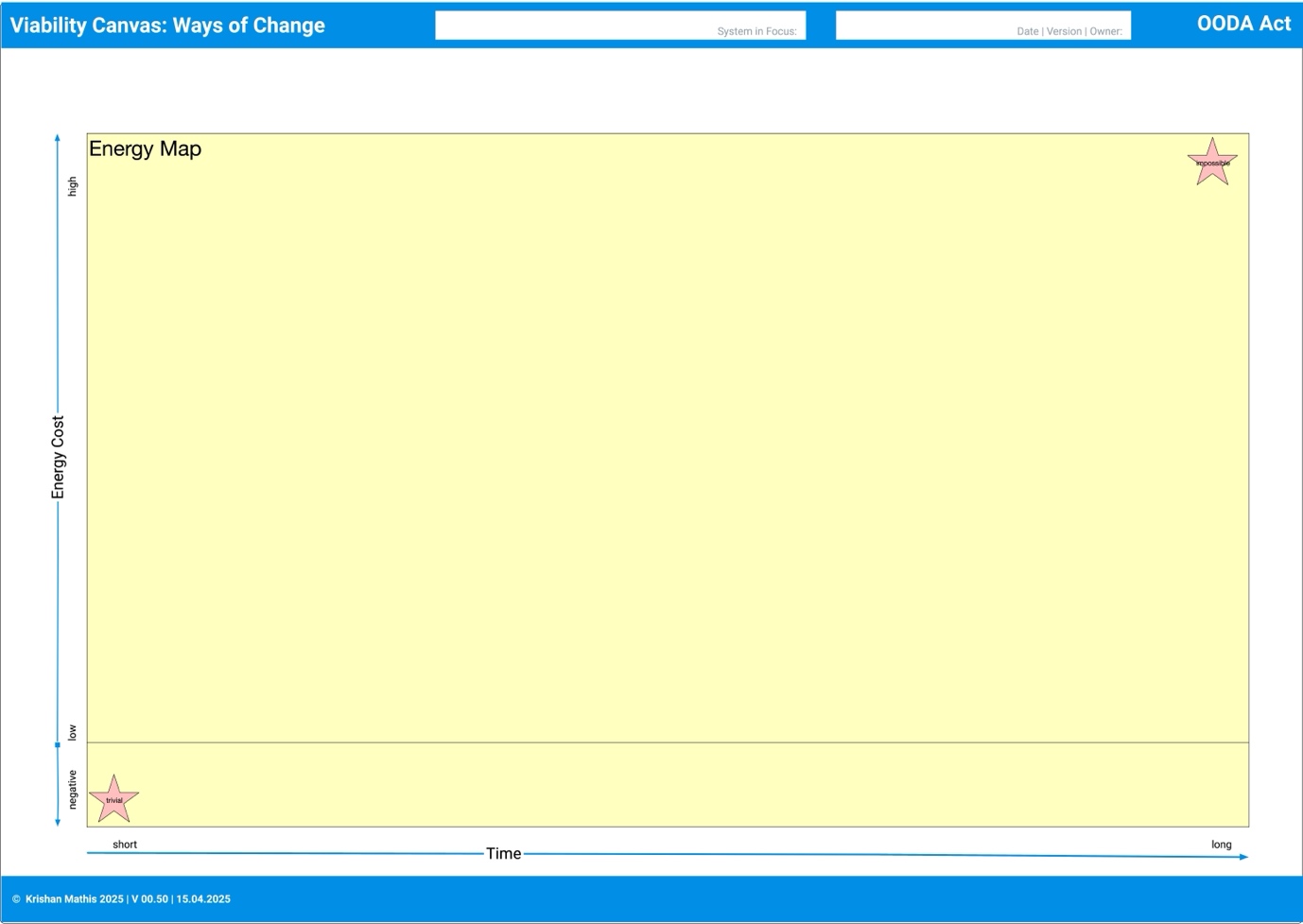
Use the Act (Energy Map) worksheet
Extract experiments from the investigations revealed in the Design view. Write them on green stickies and not from which investigation they are extracted.
The Canvas Material
The Canvas consists of several parts.
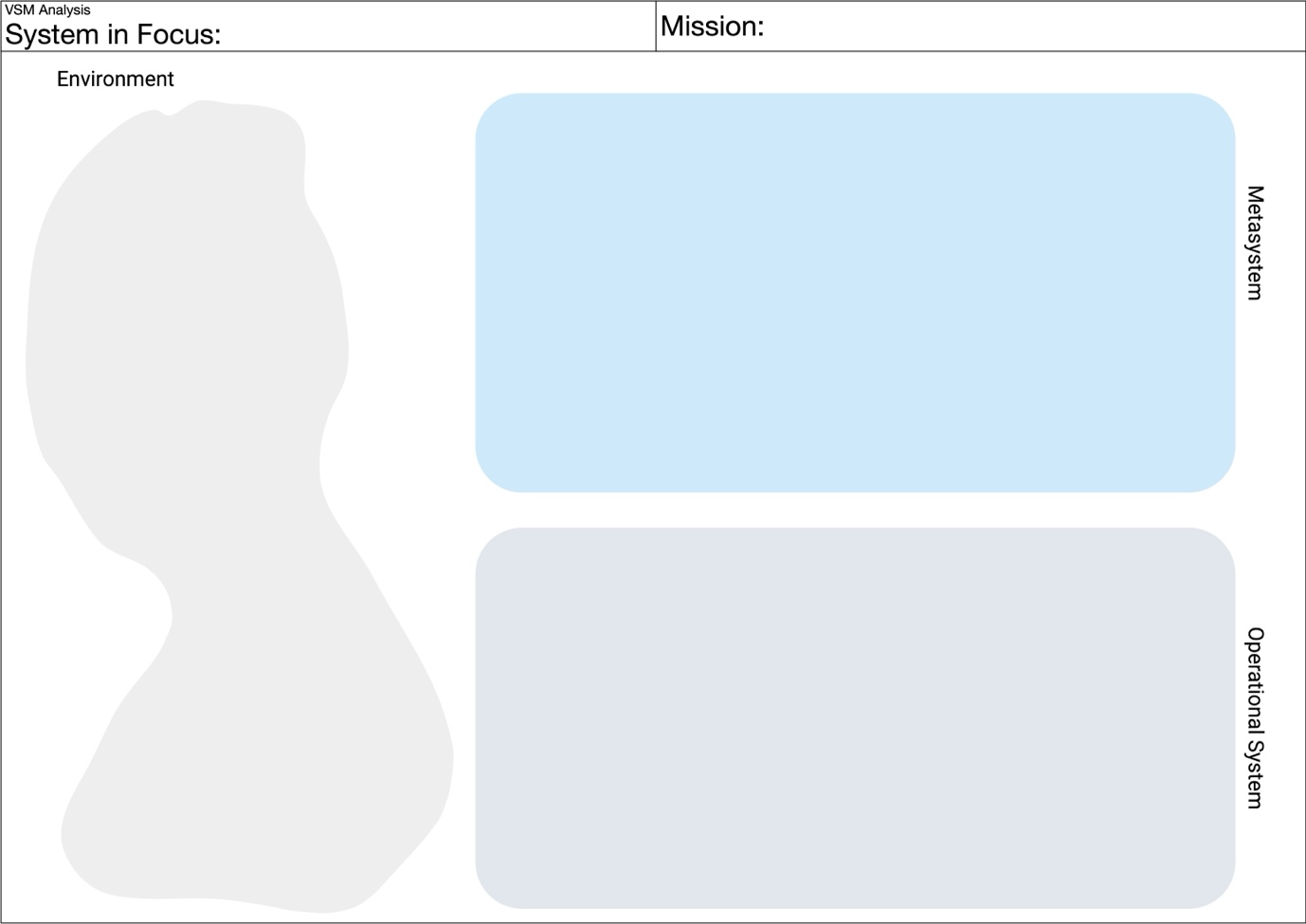
- A standard template of the Viable System Model. VSM practitioners recommend using the standard VSM diagram, which represents a specialized language for discussing organizational information structures. It makes your findings easily accessible in the VSM community. Print it as large as possible (e.g., in A0) or paint it on a moderation board or flip chart.
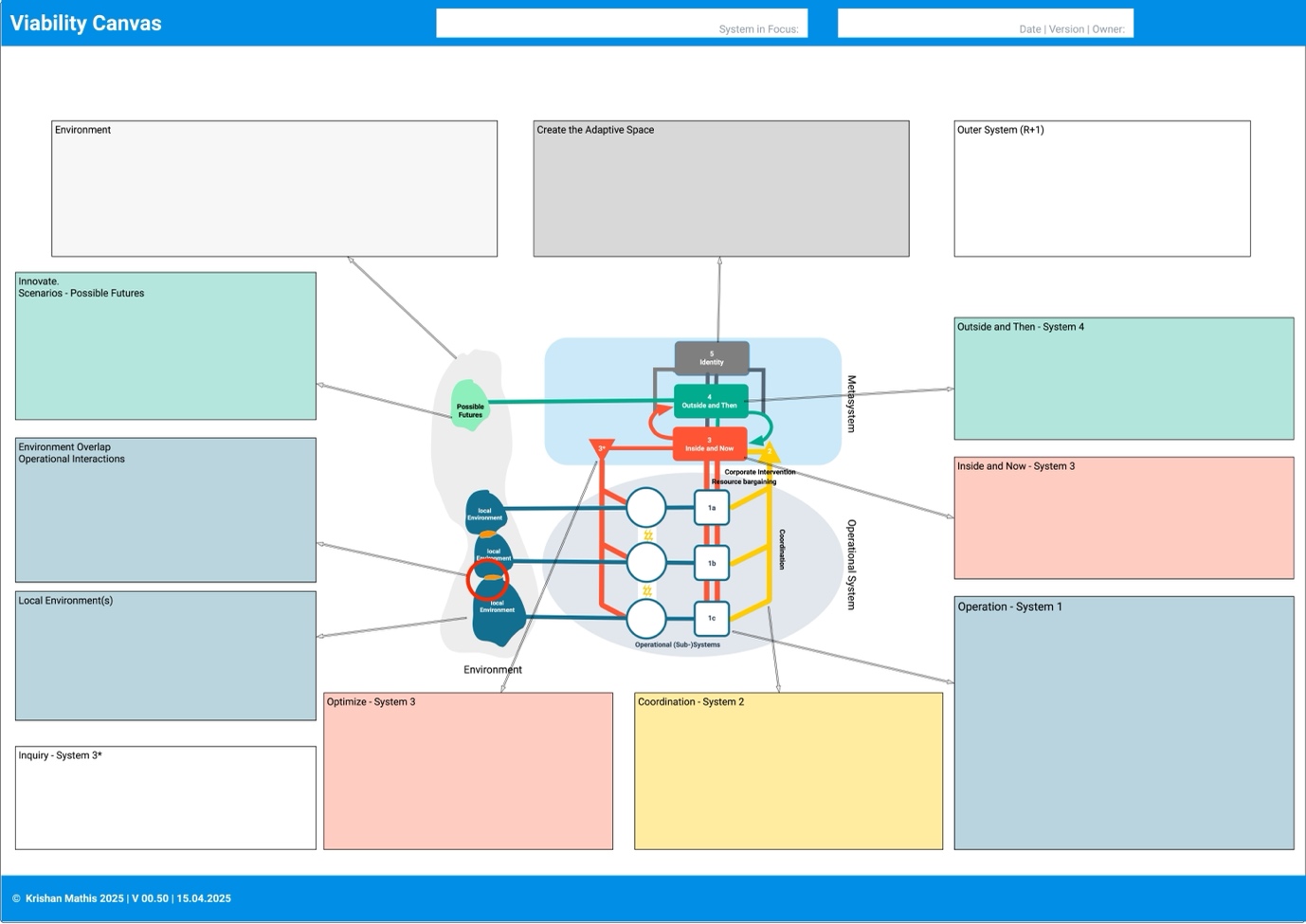
- The Canvas as a poster contains a VSM diagram and an exploded view of the parts. It allows you to add your observations to the instances of the systems and channels in the unit that you choose to analyze/design. We recommend using the Canvas and drawing your findings into the template later, but of course, you are free to use the standard template instead.
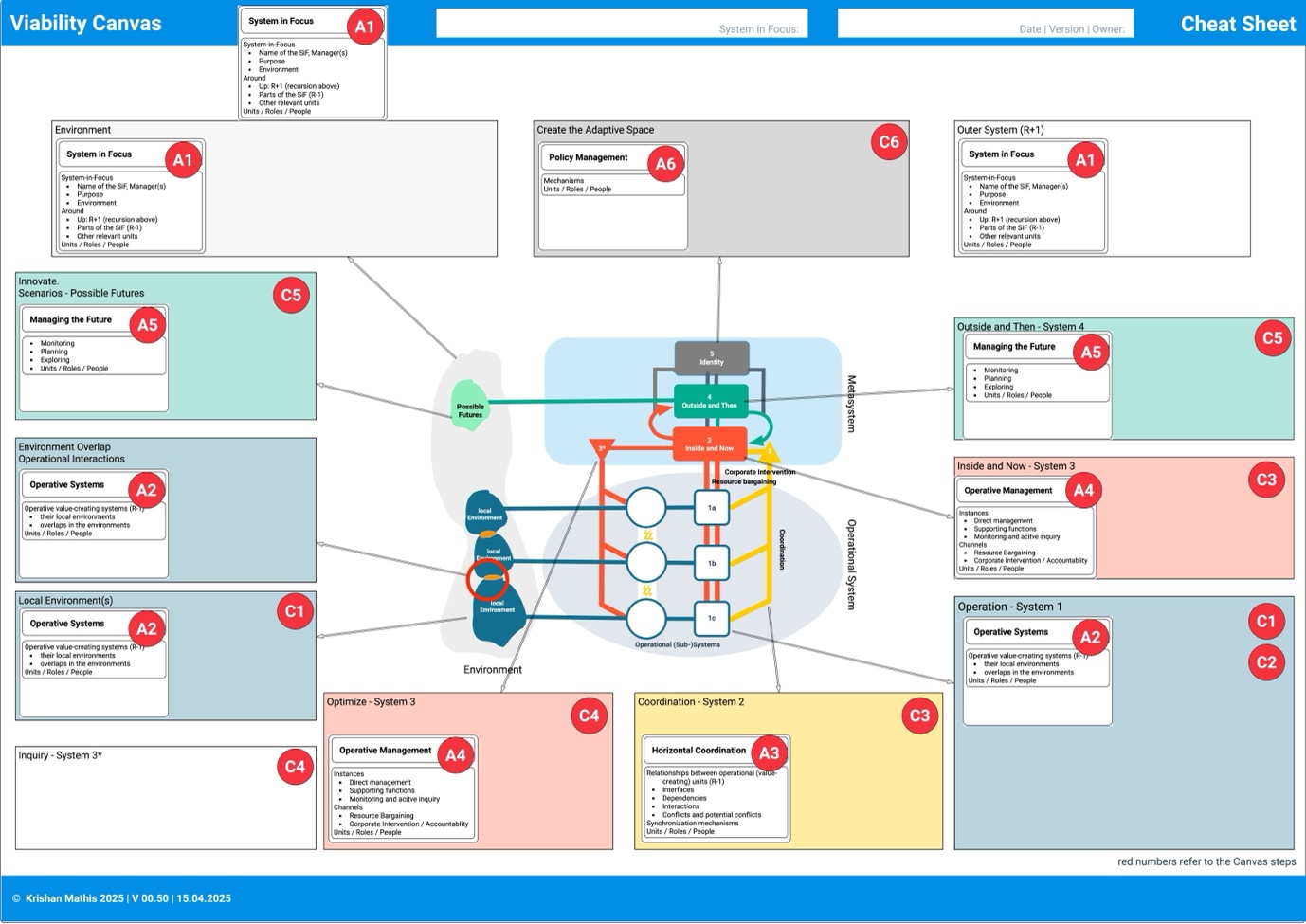
- A cheat sheet that guides you through the analysis and design steps. The cheat sheet is identical to the Canvas - it has numbers in its areas that refer to the analysis's respective design steps. Print it in A4 or letter format. You can hand out the cheat sheets to the participants in a workshop.
- A poster with the analysis steps. The poster visualizes the Tasks in the respective steps and relevant observations. The yellow areas at the bottom of the steps are meant to help refer to the people and units involved in the organization chart.
- A poster with the design steps. The layout of this poster is slightly different. The top row denotes some aspects of the organization, the „powers that be. " The second row consists of the design steps. At the bottom, you find „decisions" and „efforts. " Decisions are apparent; you can implement them immediately. Efforts are more diverse: tasks, projects, and backlog items of different sizes, criticality, and difficulty. These efforts are the input for your backlog or project plan.
The Viable System Model template
The Canvas itself as a poster
Cheat Sheet
A cheat sheet that guides you through the analysis and design steps
A poster with the analysis (observe) steps
A poster with the Diagnose (orient) Steps
The Design Steps Poster
The Act Steps Poster